En résumé
Professional mobile 3D scanning captures morphological data directly from a smartphone, using MyFit mobile photogrammetry, with no dedicated scanner or specialized hardware. Three deployment formats are available: a ready-to-use app (My3D Scanner), a white-label solution (My3D Custom App), or an SDK integration. The resulting 3D models export in STL/OBJ format and integrate with business tools (CAD, internal platforms) via API and Webhooks.
Professional mobile 3D scanning makes it possible to capture morphological data directly from a smartphone. It gives professionals a simpler way to obtain a usable 3D model, with no dedicated 3D scanner or specialized hardware.
Using mobile photogrammetry, the captured images are transformed into a 3D model. This data can then be used for measurement, size recommendation, custom product design, or morphological monitoring.
In this article, discover how 3D scanning works, which steps are used to obtain a 3D model, and how MyFit Solutions helps professionals integrate this data into their business workflows.
What is mobile 3D scanning?
A 3D scanning solution from a smartphone
A mobile 3D scanner is a solution that makes it possible to capture a three-dimensional shape from a smartphone. With MyFit Solutions, it is used in particular to scan a body part to obtain a usable 3D model.
Unlike fixed scanners or specialized equipment, mobile 3D scanning does not require heavy hardware. The professional simply uses an iOS- or Android-compatible device, paired with a 3D scanning app.
This approach makes 3D capture more accessible. It can be used in a clinic, in store, in the field, or remotely, depending on business needs.
A technology based on mobile photogrammetry
Mobile 3D scanning is based on photogrammetry. This technology consists of capturing several images of the same area from different angles.
The images are then analyzed automatically. The algorithm identifies common points between the views and reconstructs a 3D model from this data.
This method makes it possible to obtain a digital representation of the scanned morphology. The 3D model can then be associated with usable digital measurements.
A tool designed for professional use cases
Mobile 3D scanning is not limited to capture. It fits into a complete workflow: scanning, post-processing, visualization, export, and data integration into business tools.
For orthotics professionals, custom product manufacturers, or medical compression professionals, this approach helps make measurement more reliable and simplifies data exchange.
With MyFit Solutions, the smartphone becomes a professional 3D capture tool, easier to deploy and easier to integrate into existing processes.
How to scan in 3D with a smartphone
Performing a mobile 3D scan with MyFit Solutions is simple and guided. In just a few steps, the professional can capture a body area and obtain a usable 3D model.
This model can then be associated with digital measurements. The data can be used for custom product design, size recommendation, morphological analysis, or patient tracking.
Step 1: choose the scanning experience
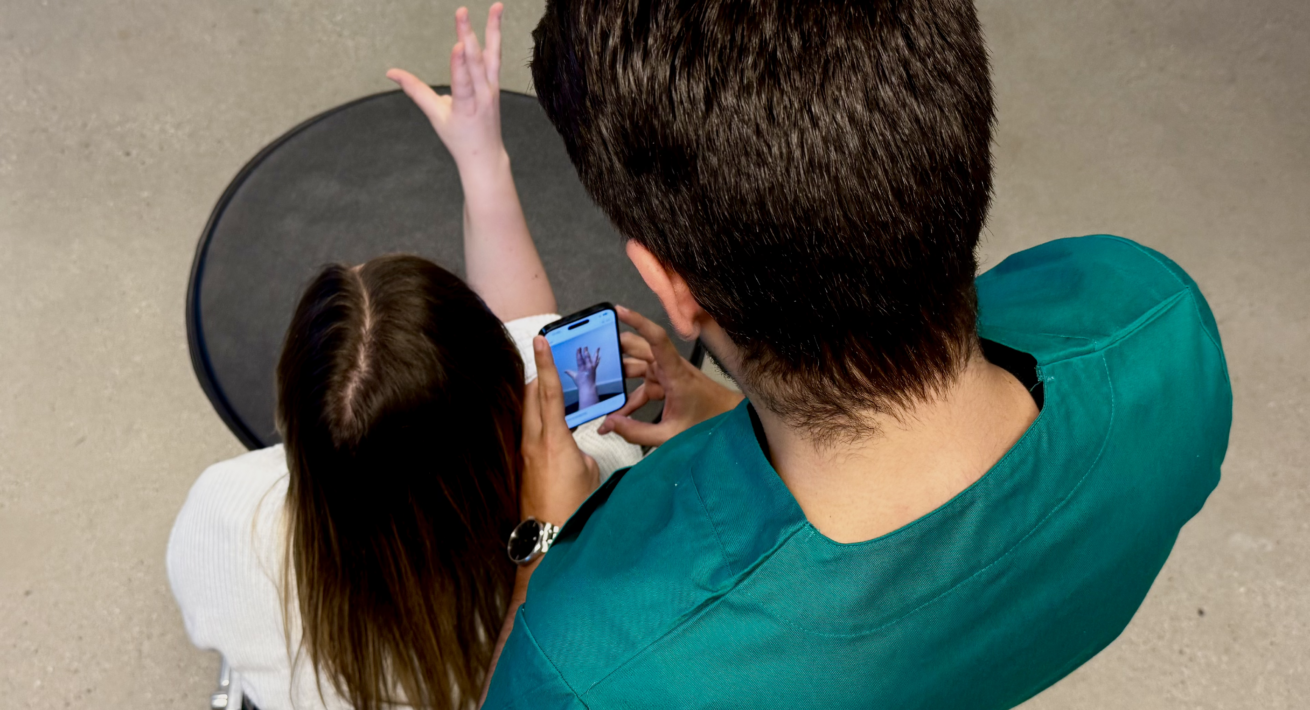
The professional starts by selecting the scanning experience suited to their needs, via a dedicated mobile app. Depending on the use case, they can scan a head, face, torso, arm, hand, wrist, leg, or foot.
Step 2: preparing the area to be scanned
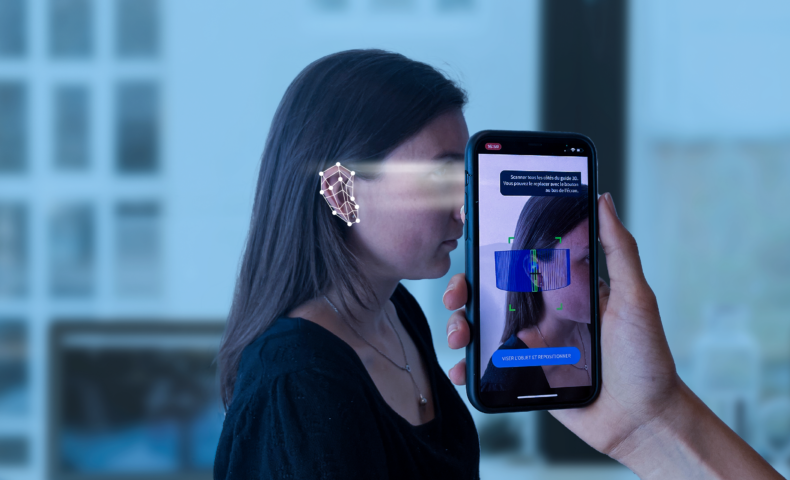
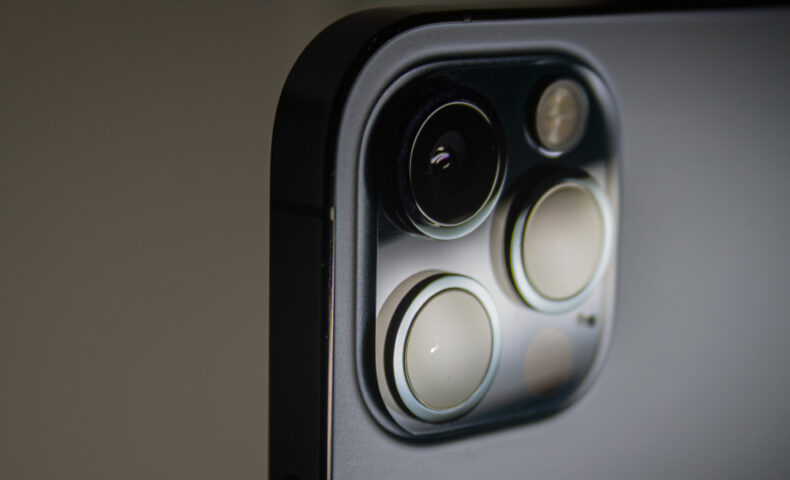
Before capture, the area to be scanned needs to be well positioned within the smartphone’s rear camera field. The professional then follows the on-screen instructions. The goal is to obtain a clean, usable capture suited to 3D model reconstruction.
Step 3: capturing images from the app
During the scan, the app guides the user step by step. It automatically records several images of the scanned area, from different angles. These images are then used by mobile photogrammetry. They make it possible to reconstruct a photorealistic, scale-accurate 3D model, faithful to the captured morphology.
Step 4: obtaining a 3D model and digital measurements
Once capture is complete, processing starts automatically. The data is post-processed to generate a usable 3D model. The final model can be viewed on the mobile app and/or on the MyFit Solutions web platform. Depending on the use case, it can also be associated with digital measurements: lengths, circumferences, volumes, or other morphological data.
Step 5: putting the data to use in business tools
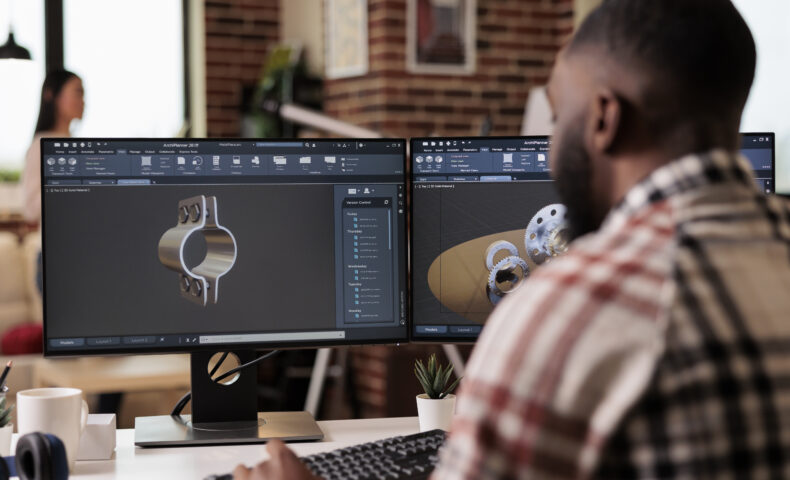
The resulting data can be viewed, downloaded, or integrated into an automated digital process. It can notably be used in CAD software, internal platforms, or design tools. 3D files can be exported in various formats, such as STL or OBJ. Professionals thus have data ready to be used for design, fitting, manufacturing, or tracking.
Why choose professional mobile 3D scanning?
Professional mobile 3D scanning offers several benefits for companies that need to collect reliable morphological data. It simplifies measurement while making it easier to integrate data into business workflows.
This approach can be used in orthotics, medical compression, fashion, sports, retail, or custom product manufacturing.
No dedicated 3D scanner or specialized hardware
With MyFit Solutions, 3D scanning is performed from an iOS or Android compatible smartphone. The professional does not need a fixed scanner, external sensor, or specialized equipment.
This approach reduces hardware constraints. It also makes adoption easier for teams because the experience is based on a familiar tool: the smartphone.
Easier deployment on iOS and Android
Mobile 3D scanning can be deployed more easily across several users, sites, or teams. All that is needed is a compatible smartphone and access to the scanning experience.
This simplicity is useful for practitioner networks, manufacturers, or brands that want to standardize morphological data collection. Each user can follow the same guided capture process.
Usable data for business workflows
Mobile 3D scanning is not only used to create a 3D model. It can also provide digital measurements and files that are usable in professional tools.
Data can be visualized, downloaded, or integrated into CAD software, internal platforms, or production systems. This makes for smoother continuity between measurement, design, fitting, and manufacturing.
A solution designed for teams and partner networks
A professional mobile 3D scanning solution needs to adapt to different use contexts. Clinic, store, field, home, or teleconsultation: capture can be performed as close as possible to the end user.
This flexibility helps save time, limit measurement errors, and centralize data. For multi-site teams or partner networks, it’s a way to deploy a consistent and reliable digital workflow.
What are the applications of mobile 3D scanning?
Mobile 3D scanning can be integrated into many sectors. It makes it possible to collect morphological data for size recommendation, custom product design or body change monitoring.
This technology is designed for professionals who need reliable data that is easy to use and simple to integrate into their business workflows.
Orthotics and custom medical devices
In orthotics, mobile 3D scanning can support the design of orthoses, prostheses, or other devices adapted to patient morphology.
From a smartphone, the professional can scan a hand, wrist, leg, foot or another body area. They then obtain a usable 3D model, combined with digital measurements.
This data can help prepare the design, adjust a device or recommend a standard size. It can also be integrated into CAD tools or platforms used by manufacturers.
Compression garments and fitted products
Mobile 3D scanning can also be used for medical compression garments and fitted products. It makes it possible to capture the volumes, circumferences and shapes of a body area.
This data is useful to adapt a product to the user’s real morphology. It can help improve comfort, fit and the quality of the final result.
For manufacturers and practitioner networks, this approach makes measurement standardization easier. It can also help reduce discrepancies linked to manual measurements.
Size recommendation and product personalization
In fashion, sports, equipment or retail, mobile 3D scanning can help recommend the right product size. Brands can rely on reliable digital measurements to better guide their customers.
This approach can help reduce fitting errors and product returns. It also improves the user experience by offering a recommendation that is better adapted to each person’s morphology.
Beyond size recommendation, 3D data can also be used to design personalized products: technical clothing, shoes, helmets, protective equipment or custom accessories.
Morphological monitoring and patient data
Mobile 3D scanning can also be used for longitudinal monitoring of a patient’s morphological evolution over time. By comparing several scans taken at regular intervals, professionals can observe changes in shape, volume, or posture.
This approach can be useful after surgery, during rehabilitation, or in the context of certain progressive conditions, where longitudinal monitoring makes it possible to track an evolution over time rather than rely on a single point-in-time measurement. 3D scanning does not replace standard medical examinations, but it can provide complementary data.
Thanks to its mobility, mobile 3D scanning can also support certain remote use cases. Data can be collected more easily, then centralized and used in a secure professional environment.
Professional Mobile 3D Scanning with MyFit Solutions
MyFit Solutions enables professionals to capture a body part from a smartphone and obtain a usable 3D model. Depending on their needs, the technology can be deployed via a dedicated mobile app, a personalized app, or a mobile SDK for integration.
This flexibility allows mobile 3D scanning to be adapted to a range of contexts: healthcare, orthotics, medical compression, retail, sports, or custom manufacturing.
My3D Scanner: your ready-to-use solution
My3D Scanner is the ready-to-use professional mobile 3D scanning solution developed by MyFit Solutions. It’s designed for businesses and professionals who want to be operational immediately, with no initial setup costs or delays.
My3D Custom App: the white-label solution tailored to your needs
My3D Custom App provides a dedicated iOS and Android mobile app, customized to the client’s brand and business, and integrable into a complete, automated digital workflow.
My3D Mobile SDK: integration into your own app
My3D Mobile SDK integrates MyFit Solutions’ scanning technology directly into a client’s mobile app, through the MyFit Solutions mobile SDKs for iOS and Android — again, to achieve a complete, automated digital workflow.
A solution connected to the MyFit Solutions platform
Whichever solution is chosen, completed 3D scans and digital measurements are accessible on a web platform dedicated to each client, offering a high level of personal data protection, and compatible with any type of integration for full digital continuity and secure use at scale.
This centralizes data, simplifies its integration into professional tools, and supports its use at scale.
My3D Scanner, Custom App, or SDK: which format should you choose?
| Criteria | My3D Scanner | My3D Custom App | My3D Mobile SDK |
| Format | Ready-to-use app | Dedicated white-label app | SDK integrated into an existing app |
| Setup | Immediate, no development | Customized to your brand | Technical integration on your end |
| Technical team required | No | Minimal | Yes |
| Best suited for | Getting started quickly | Deploying a branded experience | Enhancing an existing app |
FAQ
No. MyFit mobile photogrammetry works with the standard rear camera on an iOS- or Android-compatible smartphone.
3D models are available in .stl and .obj formats, integrable into business tools via APIs and Webhooks.
My3D Scanner is a ready-to-use app, My3D Custom App is a customized white-label version, and My3D Mobile SDK integrates directly into an existing app.
No, it supports morphology tracking and provides complementary data, but does not replace standard medical examinations.