In short
A 3D body scanner captures body morphology directly from a smartphone, using MyFit mobile photogrammetry. Rather than a full-body scan in a single capture, MyFit Solutions favors an approach based on targeted anatomical areas (torso, leg, arm, hand, foot, face), better suited to designing orthotics, prosthetics, compression garments, or morphology tracking.
A 3D body scanner has long been associated with expensive, complex equipment designed for specialized environments.
Today, thanks to iOS and Android smartphones, it is possible to capture human body morphology directly from a mobile device, without dedicated hardware.
This evolution opens new possibilities for healthcare, custom-fit products and morphological analysis. In this article, discover how to perform 3D body scanning with a smartphone, and why MyFit Solutions favors an approach based on targeted anatomical areas, better suited to professional use cases.
Capturing the human body in 3D with a mobile device
3D scanning from a smartphone
Some technologies rely on specific sensors, such as Face ID on certain iOS devices. However, for more flexible professional use cases, MyFit Solutions now favors MyFit mobile photogrammetry, based on smartphone rear cameras.
This approach captures multiple images from different angles to reconstruct a precise 3D model of the scanned area.
At MyFit Solutions, the goal is not simply to digitize the human body, but to make 3D capture simpler, more accessible and better suited to professional workflows: medical devices, custom-fit products, compression garments or morphological monitoring.
Why perform a 3D scan of the human body?
A 3D body scanner makes it possible to capture a person’s morphology and body measurements directly from a smartphone.
This approach is particularly useful for professionals designing body-adapted products and services, such as orthotics, prosthetics, compression garments, medical devices or morphological monitoring solutions.
With mobile 3D scanning, professionals can simplify measurement workflows, improve device fitting and develop custom-fit services in clinics, healthcare facilities or remotely.
Full body scan or targeted anatomical area?
A 3D scan of the human body does not necessarily mean capturing the entire body in a single scan.
For professional use cases, it is often more relevant to capture a specific anatomical area: torso, leg, arm, hand, foot, face or pelvis, depending on the device to be designed or the monitoring to be performed.
This approach makes it possible to obtain 3D models that are more directly usable for each application: orthotics, prosthetics, compression garments, morphological analysis or patient monitoring.
At MyFit Solutions, 3D capture is designed to meet real field needs: scanning the right area, at the right time, directly from a smartphone.
Full-body scan or targeted anatomical scan: which approach should you choose?
| Criteria | Full-body scan | Targeted anatomical scan (MyFit Solutions) |
| Model precision | Spread across the whole body | Concentrated on the relevant area |
| Capture time | Longer | Fast, targeted |
| Usability for design | Requires post-processing | Directly usable |
| Best suited for | Overview, full avatar | Orthotics, prosthetics, compression garments, targeted monitoring |
How to perform a 3D body scan with an iOS or Android smartphone
3D scanning technology is now accessible from iOS and Android smartphones, without specialized equipment.
For professionals, this approach makes it easier to capture human body morphology in a mobile, flexible way, directly adapted to field use cases.
Here are the main steps to perform a 3D body scan with a smartphone.
Step 1: download the mobile 3D scanning application
The first step is to download the MyFit Solutions mobile 3D scanning application from the App Store or Google Play Store.
Depending on the project, MyFit Solutions offers either a ready-to-use application, such as My3D Scanner, or a custom application developed as part of a white-label integration or SDK implementation.
Access to MyFit Solutions applications is provided after discussing your project with our team, in order to identify the solution best suited to your professional use case.Step 2: prepare the scanning environment
Before starting the scan, it is important to prepare a suitable environment.
Use sufficient and homogeneous lighting, avoid backlighting and reflective surfaces, then position the person steadily in a posture adapted to the intended use case.Step 3: scan the body in 3D
Once the application is open, simply follow the instructions displayed on screen.
The scan is performed using the smartphone’s rear camera, which captures a series of images from different angles. These images are then processed using photogrammetry to generate a precise 3D model of the scanned area.Step 4: access the 3D model
Once the scan is completed, the 3D model is accessible directly from the smartphone or through the connected web platform.
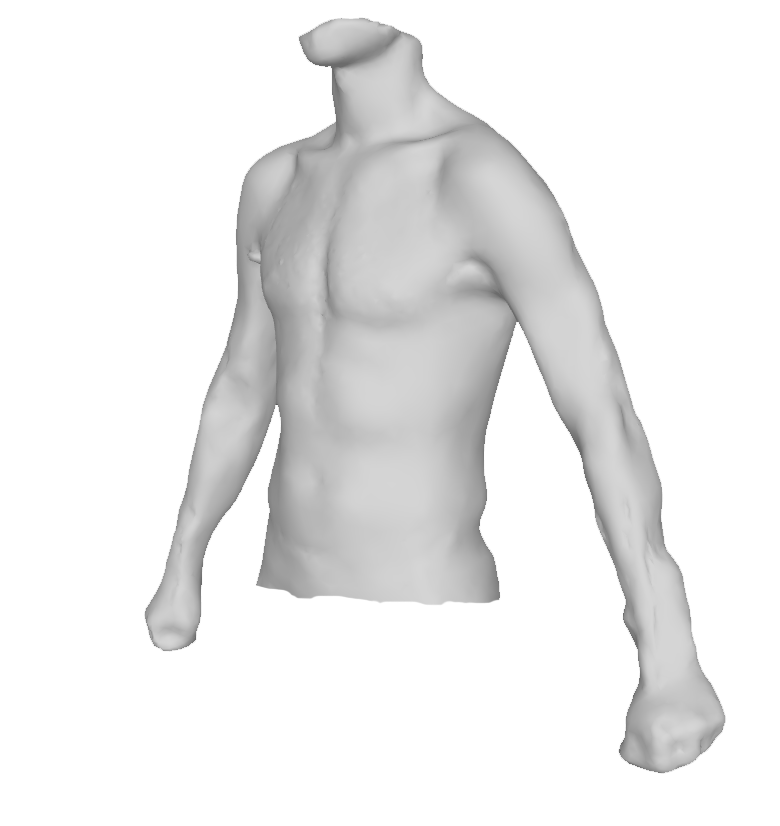
The models generated by MyFit Solutions are photorealistic, true-to-scale and exportable in .stl or .obj formats. The platform can also be integrated into existing digital workflows through standard connectors, such as APIs or Webhooks.
Mobile 3D scanning makes it possible to capture human body morphology on the move, while focusing on the relevant areas for each specific need. It opens up many opportunities for product personalization, morphological monitoring and large-scale professional applications.
Creating custom-fit products and services with 3D body scanning
3D body scanning opens new possibilities for product and service personalization, especially in medical devices, custom-fit solutions and morphological monitoring.
At MyFit Solutions, we favor an approach based on targeted anatomical areas rather than full-body capture in a single scan. This makes it possible to better address each use case and obtain 3D models that are more precise, more reliable and directly usable.
Applications of 3D body scanning
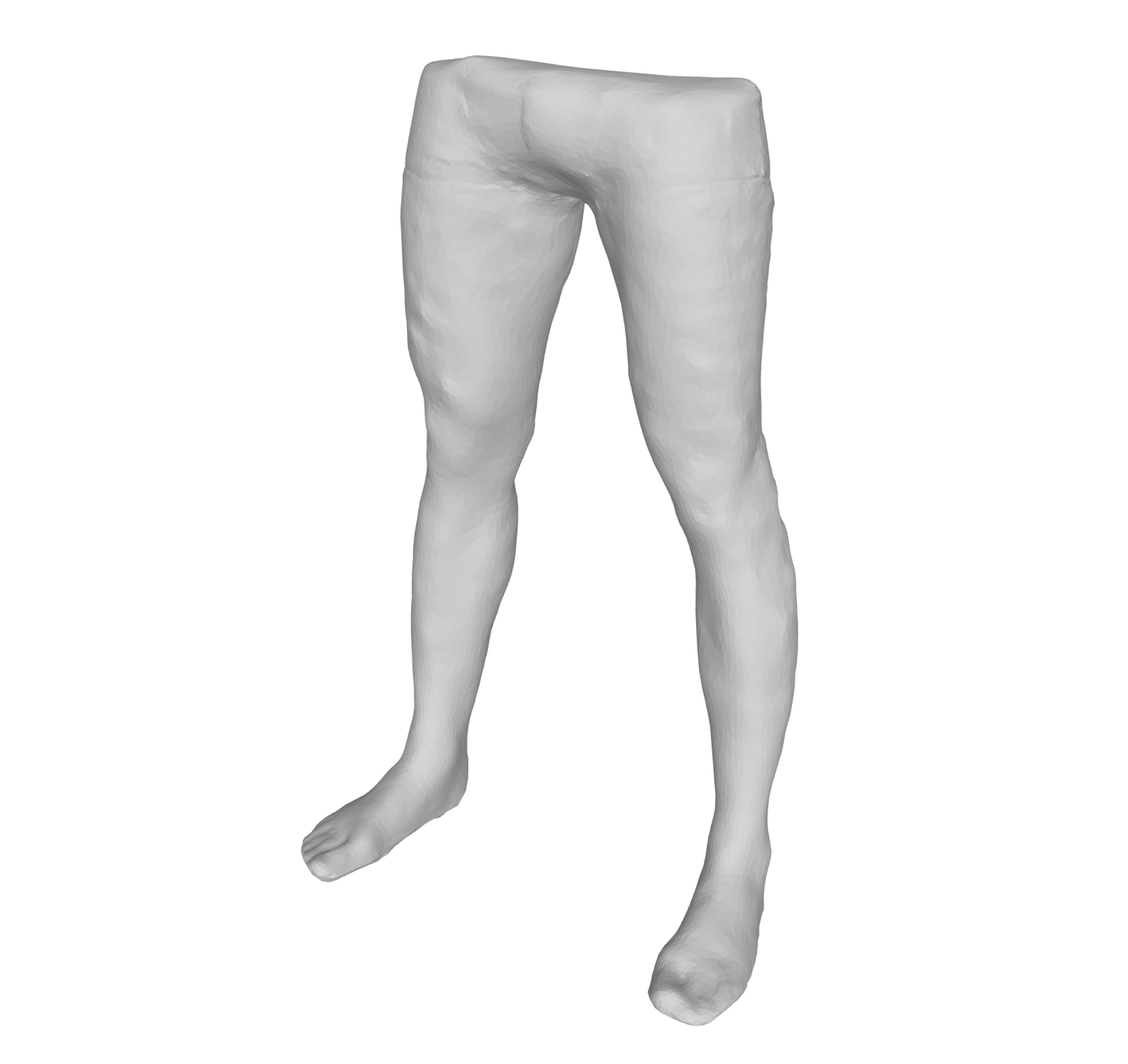
Custom orthotics and prosthetics
3D scanning makes it possible to precisely capture the morphology of a specific body area in order to design custom orthotics, prosthetics and orthopedic devices.
Depending on the need, it can be used for arm or hand orthotics, lumbar braces, thoracolumbosacral orthoses, ankle-foot orthoses (AFOs), knee-ankle-foot orthoses (KAFOs) or other devices adapted to the patient’s morphology.
This approach helps create better-fitting, more comfortable devices that can be directly integrated into healthcare professionals’ workflows.
Compression garments in the right size
For treatments requiring compression, fit is essential. Edema, circulatory disorders, post-operative care: each use case requires reliable measurements adapted to the patient’s morphology.
Mobile 3D scanning makes it possible to capture the relevant body areas to recommend or design compression garments, such as compression stockings, compression gloves, sleeves or abdominal-lumbar support belts.
The goal is to simplify measurement workflows and obtain better-fitting devices, with more targeted pressure aligned with the therapeutic need.
Patient analysis and monitoring
Mobile 3D scanning can also be used to monitor a patient’s morphological evolution over time, in clinics, healthcare facilities or remotely.
It makes it possible to capture different body areas, such as the torso, face, legs or head, in order to support morphological analysis and clinical monitoring.
For example, the MyFit Solutions technology is used by the National Scoliosis Clinic for scoliosis monitoring. It can also support other use cases, such as post-operative follow-up, dental aligners or care pathways requiring regular measurements.
FAQ
This approach delivers 3D models that are more precise and more quickly usable for each application (orthotics, prosthetics, compression garments, monitoring), rather than a global model requiring post-processing.
The torso, leg, arm, hand, foot, face, or pelvis, depending on the device to be designed or the monitoring to be performed.
No. MyFit mobile photogrammetry works with the standard rear camera on an iOS- or Android-compatible smartphone.
3D models are available in .stl and .obj formats, integrable into business tools via standard connectors (APIs, Webhooks).