
En bref
3D hand scanning provides precise measurements (circumferences, lengths, wrist dimensions) directly from a smartphone, using MyFit mobile photogrammetry. This approach replaces the tape measure for designing custom orthotics, recommending glove or equipment sizes, with no specialized hardware or training required.
3D hand scanning has become a key challenge across many industries, from custom orthotics and morphology-adapted equipment to personalized products.
Thanks to mobile 3D scanning, it is now possible to obtain precise hand measurements directly from a smartphone, without specialized hardware.
Discover how 3D morphological capture is simplifying hand measurement workflows and opening new possibilities for healthcare, custom-fit products and professional applications.
Why perform 3D hand scanning?
Which tools can be used to measure the hand?
- Measuring the hand with a tape measure:
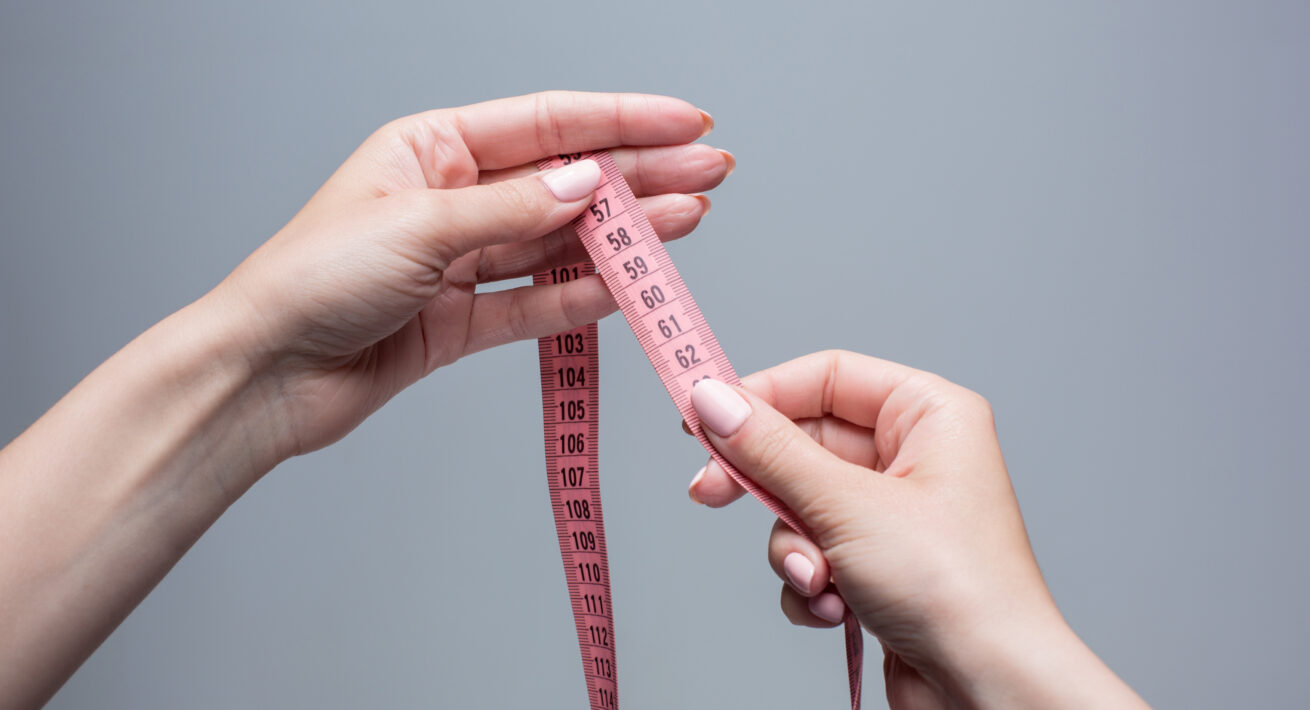
Tape measures are still one of the most common tools used to measure the hand or wrist. However, this approach quickly reaches its limits: inaccurate tape positioning, inconsistent pressure during measurements or difficulty reproducing the exact same position every time.
These variations become even more significant when users need to measure themselves remotely.
- Performing 3D hand scanning with a smartphone:
Today, 3D hand scanning makes it possible to obtain precise hand measurements directly from a smartphone using a mobile application.
The measurement process becomes more reliable, reproducible and less operator-dependent.
Guided step by step, mobile 3D scanning simplifies hand morphology capture without specialized hardware or specific training. It can easily be performed from virtually anywhere.
Personalizing products through 3D hand scanning
3D hand scanning has become essential for professionals designing products intended for the hand and wrist.
Using morphological measurements captured from a smartphone — such as hand width, finger length, wrist dimensions or phalanx measurements — it becomes possible to develop products better adapted to each user.
- Designing custom-fit products:
In the healthcare field, professionals use 3D hand capture to design perfectly adapted wrist orthoses and personalized medical devices.
These custom-fit devices can help support conditions such as carpal tunnel syndrome, osteoarthritis or post-fracture rehabilitation.
- Recommending the right size more accurately:
3D hand measurements can also be used to recommend the most suitable size for standardized equipment, such as technical, sports or protective gloves.
Thanks to mobile 3D scanning, brands and professionals reduce inaccuracies linked to manual measurements while improving comfort, fit and overall user experience.
Tape measure or mobile 3D scanning: what’s the difference for measuring the hand?
| Criteria | Tape measure | MyFit mobile 3D scanning |
| Required equipment | Tape measure | None, just the smartphone camera |
| Measurement reliability | Depends on the operator | Guided by the app, reproducible |
| Remote capability | Possible, but unreliable | Possible and reliable |
| Data obtained | Point measurements | 3D model + detailed digital measurements |
| Training required | No, but experience helps | No, step-by-step guided capture |
How to perform 3D hand scanning with a smartphone
Today, it is possible to obtain precise hand measurements directly from a smartphone thanks to mobile 3D scanning.
MyFit Solutions develops 3D morphological capture solutions compatible with iOS and Android, allowing users to scan the hand directly using smartphone cameras.
The mobile 3D scanning technology
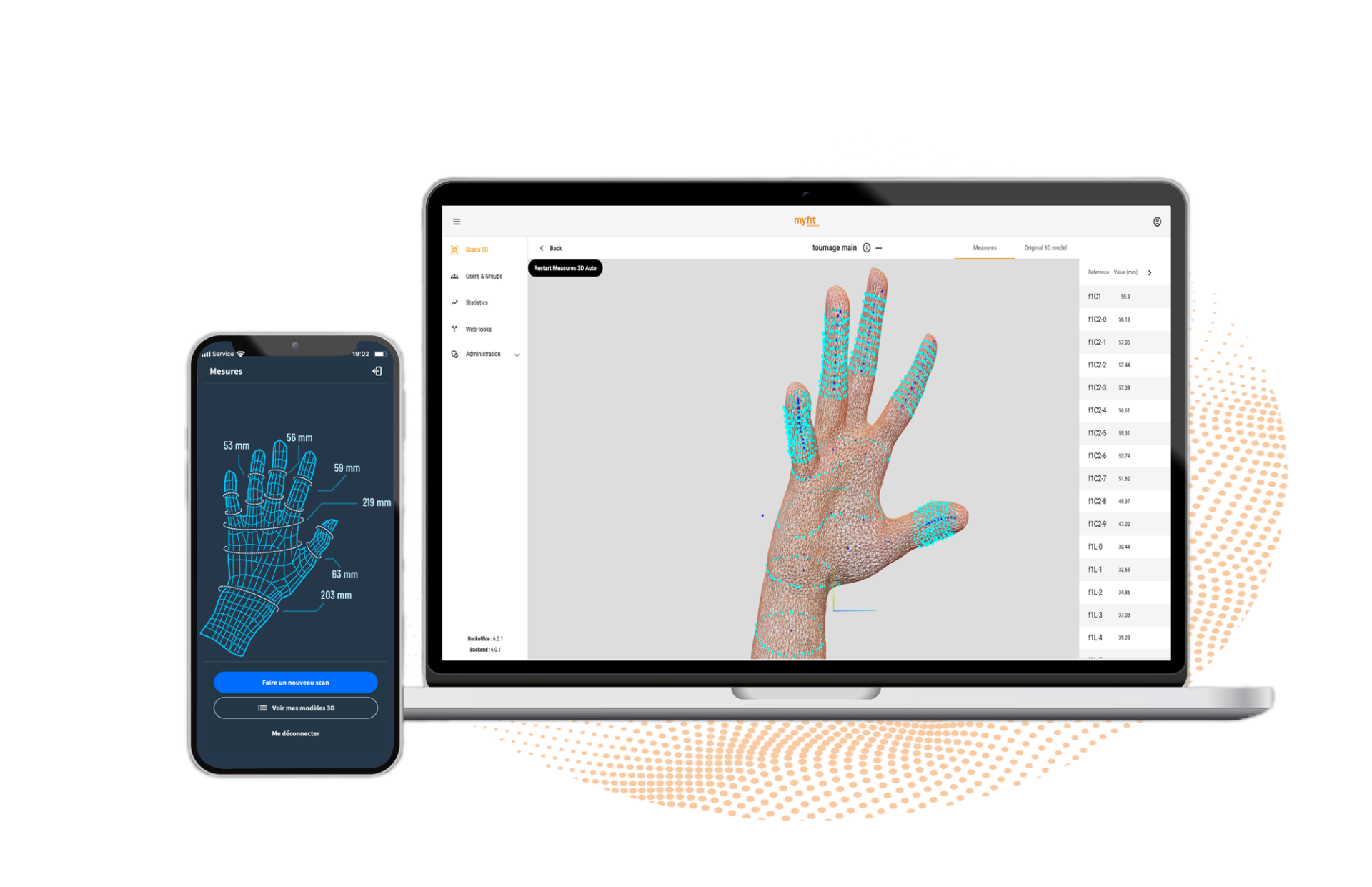
The technology developed by MyFit Solutions relies on a 3D scanning application compatible with both iOS and Android devices.
Using MyFit mobile photogrammetry and smartphone rear cameras, it becomes possible to capture a precise, true-to-scale 3D model of the hand directly from a mobile device.
Once the scan is completed, the 3D model is analyzed to identify key anatomical points — known as landmarks — in order to automatically generate different morphological measurements.
Thanks to mobile 3D scanning, it is possible to obtain:
- circumferences: fingers, palm or wrist
- lengths: phalanges, fingers or total hand length
- advanced morphological measurements adapted to medical, technical or industrial applications
This approach simplifies hand measurement workflows while making the data directly usable within professional design and product personalization processes.
Steps to perform 3D hand scanning with a smartphone
Step 1: download the MyFit Solutions 3D scanning application
The first step is to download the MyFit Solutions mobile 3D scanning application from the App Store or Google Play Store.
Compatible with both iOS and Android, the solution allows users to perform 3D hand scanning directly from a smartphone for healthcare, industrial and custom-fit applications.
Custom applications can also be developed through white-label integrations or SDK implementations.Step 2: prepare the scanning environment
A suitable environment helps improve scan quality.
Use homogeneous lighting, avoid backlighting and reflective surfaces, then position the hand steadily to facilitate morphological capture.Step 3: scan the hand
Once the application is open, simply follow the instructions displayed on screen.
The smartphone’s rear camera captures a series of images from different angles in order to reconstruct a precise 3D model of the hand using photogrammetry.Step 4: access the 3D hand measurements
Once the scan is completed, the 3D hand measurements are directly accessible from the smartphone or through a connected web platform.
Why mobile 3D scanning is transforming measurement workflows
Mobile 3D scanning significantly simplifies measurement workflows in the field.
Unlike specialized scanning hardware, smartphone-based solutions reduce equipment constraints, simplify deployment and make morphological capture accessible from virtually anywhere.
Professionals can perform scans on the move, remotely or directly within healthcare facilities while improving measurement standardization.
This approach streamlines workflows, simplifies the user experience and facilitates the large-scale deployment of custom-fit services.
FAQ
Circumferences (fingers, palm, wrist), lengths (phalanges, fingers, hand) and advanced morphological measurements, depending on the intended use.
No, the capture is guided step by step by the app, making it accessible without specific technical skills.
No. MyFit mobile photogrammetry works with the standard rear camera on an iOS- or Android-compatible smartphone.
Yes, users can perform the capture on their own, from home, with a result more reliable than a manual remote measurement.